Published
By CPC Helpdesk
Crescent Purchasing Consortium would like to alert its members to an issue with the Central Digital Platform/Find a Tender service that requires their immediate attention, with relevant guidance on the steps you need to follow outlined below... ⬇️
The Government Commercial Agency has brought this problem to CPC's attention, with the issue relating to the API key public sector buyers have to add into their eSender portal account (allowing the eSender to represent the buyer when posting notices on the buyer's behalf). For reference, an API key functions as a unique electronic identifier, as used for authentication purposes.
It has been advised that a window is likely to open from 3rd to 14th November and that, during this period, ALL buyers in the public sector will have to generate a new API key. As an affected buyer, you will need to manually log into your Find a Tender service account and ensure that your eSender replaces their old key with the new one.
In addition, procurement consultants/managers across our Managed Service and On Demand teams will liaise with you, if you are a CPC client, to ensure your new API key is correctly generated and added into your MultiQuote account. Any new API key should not be created before Tuesday 3rd November and they must be in place by close of business on 14th November, 2026.
We acknowledge that while some members hold a MultiQuote licence, others will be working with InTend, Delta or a plethora of other eSender solutions and so we encourage these to take the equivalent measures with their eSender platform of choice.
Please note that updating the API Key will not impact any live procurement exercises being conducted by your eSender.
Member institutions with questions or queries about this urgent requirement are encouraged to contact CPC via our dedicated Helpdesk, with Procurement Learning & Development Lead, Mark Pearson, able to advise in further detail.
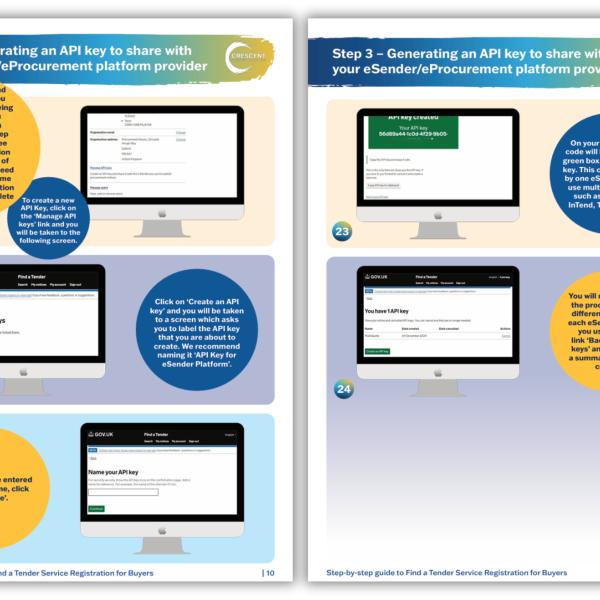
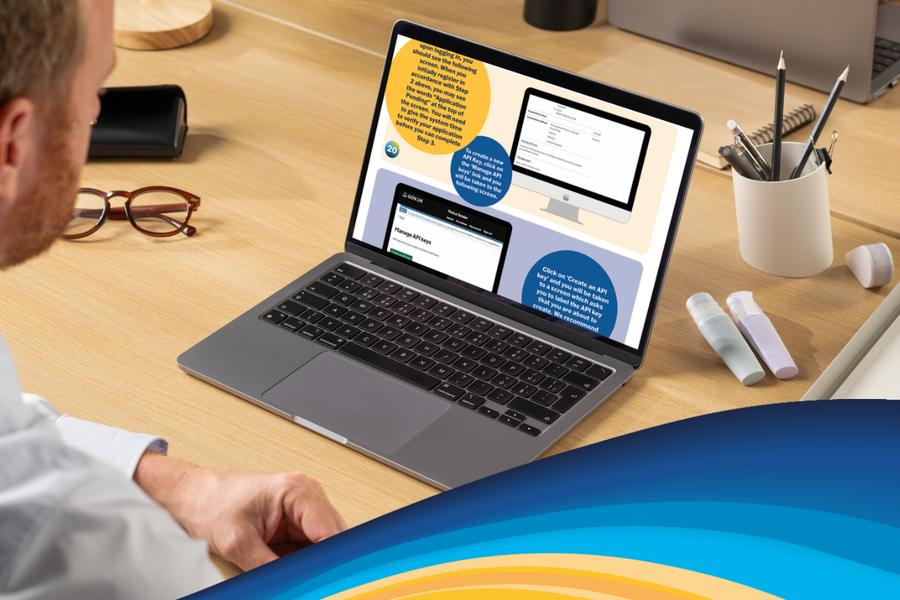
See API Key creation instructions below, from our Buyer's Guide to FTS Registration, presented by Crescent Learning.